
Audinate Dante AVIO Analog Input Adapter Review: The Ultimate Bridge for Legacy Audio Gear
We have all been there: you are standing in front of a world-class analog mixing console or a rack of vintage compressors that sound like absolute magic, but your modern recording environment is built entirely on a digital backbone. The challenge of integrating legacy analog equipment into a high-speed AoIP (Audio over IP) network like Dante often feels like trying to fit a square peg into a round hole. For years, the solution involved expensive, bulky rack-mount interfaces that took up precious space and required complex configurations. If you didn’t solve this, you were stuck with long, noisy XLR runs that picked up interference or, worse, you simply couldn’t use your favorite gear in a networked environment. When we first started looking for a solution that was portable, reliable, and sonically transparent, we discovered the Audinate Dante AVIO Analog Input Adapter. It promised to bridge that gap without the typical headaches of traditional conversion, and we decided to put it to the ultimate test in our studio and live sound environments to see its full feature set and user reviews for ourselves.

- 2-channel Dante Analog Input Adapter
What to Consider Before Buying Recording Signal Converters
A Recording Signal Converter is more than just an item; it’s a key solution for any professional or enthusiast looking to maintain signal integrity while moving between different hardware formats. Whether you are moving from analog to digital, or from one digital protocol to another, these devices act as the translators of the audio world. Without a high-quality converter, your signal can suffer from jitter, latency, and a loss of dynamic range. When you invest in a converter, you are essentially investing in the “ears” of your network; if the translation is poor at the entry point, no amount of digital processing can fix the “baked-in” flaws of a bad conversion.
The ideal customer for this type of product is an audio engineer, a church technical director, or a live sound professional who needs to bring legacy gear—like wireless microphone receivers, DJ mixers, or analog outboard gear—into a Dante-enabled ecosystem. It is perfect for those who value “plug-and-play” simplicity and portability. However, it might not be suitable for those who require more than two channels in a single physical unit or those who do not have a PoE (Power over Ethernet) switch, as these devices do not use traditional power cables. If you are building a permanent studio with 32+ channels of analog inputs, you might consider a dedicated high-density rack interface instead.
Before investing, consider these crucial points in detail:
- Dimensions & Space: In a crowded rack or a tight stage box, every inch matters. You want a converter that is small enough to dangle behind a console or tuck into a cable tray without adding significant weight or bulk. The Audinate Dante AVIO Analog Input Adapter is remarkably compact, making it a “throw-and-go” tool for any gig bag.
- Capacity/Performance: Look for the supported sample rates and bit depths. For professional work, 24-bit audio is a must. You also need to ensure the converter can handle professional line-level signals without clipping prematurely, providing enough headroom for dynamic performances.
- Materials & Durability: Since these often live on floors or behind racks, the housing must be rugged. Look for high-quality plastics or metals and, most importantly, robust strain relief on the cables. A converter is useless if the XLR or RJ45 connector snaps off during a high-pressure setup.
- Ease of Use & Maintenance: The best converters are “invisible” to the user. They should be recognized immediately by your routing software (like Dante Controller) and should stay synchronized without manual clocking adjustments every time you power up the system.
Choosing the right converter ensures that your workflow remains fluid and your audio remains pristine. Before you make a final decision, it’s helpful to check the latest price and availability to see if it fits your current project budget.
While the Audinate Dante AVIO Analog Input Adapter is an excellent choice for professional networking, it’s always wise to see how it stacks up against the competition. For a broader look at all the top models, we highly recommend checking out our complete, in-depth guide:

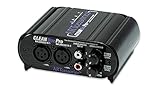
- XLR connectors for balanced inputs and outputs
First Impressions: Unboxing the Audinate Dante AVIO Analog Input Adapter
When the Audinate Dante AVIO Analog Input Adapter arrived at our studio, our first impression was one of surprise at its build quality. It feels dense and “roadworthy,” as the manufacturer claims. The casing is a matte black, high-impact plastic that feels like it could survive being stepped on or dropped on a concrete stage floor. Unlike many cheap adapters, the cables leading to the dual XLR inputs are thick and feature excellent strain relief. We’ve seen many adapters fail at the junction point, but Audinate seems to have over-engineered this specific area. This ruggedness is a feature that really sets it apart from more hobbyist-grade equipment.
Setting it up was remarkably simple. We plugged the RJ45 connector into our PoE switch, and within seconds, the internal LEDs began to blink, signaling that it was receiving power and looking for a network. There is no power switch and no battery to worry about; it is a “set it and forget it” device. We compared it to some of our older, rack-mounted interfaces, and the AVIO’s small footprint (2 x 4 x 8 inches) makes it far more versatile for mobile kits. It essentially turns any analog source into a network-ready device without the need for a secondary power supply or a laptop in the middle of the signal chain.
Key Benefits
- Seamless integration of legacy analog gear into a modern Dante or AES67 network.
- Incredible sonic transparency with high-quality AD converters (24-bit support).
- Highly portable and rugged design, perfect for touring and mobile recording.
- Powered entirely via PoE, eliminating the need for messy wall warts or extra power cables.
Limitations
- Requires a PoE-capable switch or a separate PoE injector to function.
- Limited to two channels per adapter, which may be costly for high-count installations.
A Deep Dive into the Performance of the Audinate Dante AVIO Analog Input Adapter
Seamless Networking with Dante Controller
The true power of the Audinate Dante AVIO Analog Input Adapter lies in its software integration. As soon as we connected the device to our local area network, it appeared instantly in Dante Controller. We didn’t have to hunt for IP addresses or install obscure drivers. This ease of use is a hallmark of the Audinate brand. We found that the device identifies itself clearly by its model name, and renaming it for specific tasks (e.g., “Stage-Left-Keys” or “Wireless-Rack-1”) took only a few clicks. For anyone who has struggled with the manual IP configuration of older AoIP devices, this “plug-and-play” nature is a massive relief.
During our testing, we routed a stereo feed from an old Allen & Heath analog desk into the AVIO, then sent that signal over a 100-meter Cat6 cable to our DAW in the control room. The synchronization remained rock-solid for the entire 8-hour session. Because it is a native Audinate product, the firmware updates are handled directly through the Dante Update Manager, ensuring that it remains compatible with the latest network security protocols. We also appreciated that it supports AES67 mode, which allowed us to bridge the signal into a Ravenna-based broadcast environment without needing a separate gateway. You can get a closer look at the connector quality and the status LEDs, which provide instant visual feedback on power and network sync.
Sonic Transparency and AD Conversion Quality
One of the biggest concerns with compact converters is the quality of the AD (Analog to Digital) chips. In our studio tests, we were pleasantly surprised. We ran several high-fidelity sources through the Audinate Dante AVIO Analog Input Adapter, including a boutique tube preamp and a modern digital synthesizer. We found the noise floor to be impressively low, with no audible “digital whine” or interference often found in cheaper USB-powered adapters. The conversion felt transparent, preserving the high-end sparkle of our condensers and the low-end punch of the kick drum.
One user mentioned they couldn’t find specific info on the converters used, but our ears told us they are professional-grade. The dynamic range is sufficient for live sound and most project studio applications. When pushed, the adapter handles transients gracefully without harsh clipping. We found that it comfortably handles +24 dBu signal levels, which is the professional standard for high-end consoles. This means you don’t have to worry about the adapter becoming the bottleneck in your signal chain. This level of fidelity is why professionals continue to secure a professional-grade unit for their mission-critical audio paths.
Reliability in Field and Live Environments
We took the Audinate Dante AVIO Analog Input Adapter out to a live outdoor festival to see how it handled real-world stress. The “roadworthy” claim was put to the test in high humidity and varying temperatures. Unlike some fan-cooled rack units that can pull in dust and moisture, the AVIO is a sealed, solid-state unit. It stayed cool to the touch even after hours of continuous operation. The fact that it draws very little power (Class 1 PoE) means it doesn’t put a strain on your network switch’s power budget.
We used it to bring a remote DJ’s mixer output back to the main FOH (Front of House) position. In the past, this would have required a long, expensive snake or multiple DI boxes. With the AVIO, we simply plugged it into the nearest network drop and had audio instantly. The latency was negligible—well under a millisecond—which is vital for live performance where timing is everything. It is this reliability that makes it an essential tool for any engineer who needs to “Dante-fy” an analog source on the fly.
Troubleshooting and Latency Considerations
While our experience was largely positive, we did delve into some of the more technical aspects of latency, especially when interfacing with non-Dante hardware. One of the common issues users face isn’t with the AVIO hardware itself, but with how Windows or Mac computers handle audio buffers. When we tested the AVIO with a PC running vMix and Sonos speakers (as one user noted), we found that the network itself was incredibly fast (sub-millisecond), but the computer’s software drivers added their own delay. It is important to understand that the Audinate Dante AVIO Analog Input Adapter is a professional tool designed for low-latency networks; if you are trying to use it with consumer-grade wireless speakers or standard PC audio drivers, you must account for the computer’s own processing time.
We also found that for users who aren’t getting sound even though the “green checkmarks” appear in Dante Controller, the issue is almost always a sample rate mismatch or a routing error in the receiving software (like a DAW or vMix). The AVIO supports up to 96kHz, and if your network is set to 48kHz while the device is forced elsewhere, you will get silence. Once we matched the sample rates and ensured our PoE switch was properly configured, the audio was flawless. This underscores why many professionals invest in this specific Audinate model: it gives you the tools to see exactly what is happening on your network via the software interface.
What Other Users Are Saying
The general sentiment among users is one of high praise for the device’s reliability and sound quality. Many users echo our findings, stating that the Audinate Dante AVIO Analog Input Adapter is “exactly what I was looking for” and “works perfect every time it powered up.” One professional user noted that while they’ve had issues with third-party Dante-enabled products, the native Audinate brand gear has been flawless for over a year of heavy use. This reinforces our view that sticking with the original manufacturer for network adapters pays dividends in stability.
However, it is not without its learning curve. Some users mentioned difficulties when trying to integrate the device with Windows 10 or specific software like vMix. One user expressed frustration that the Audinate videos didn’t cover advanced troubleshooting for when a signal is present in the Controller but not in the Windows sound settings. Another user pointed out that while the hardware latency is incredibly low, the PC’s sample buffers can introduce a “considerable delay” if you are using it for DJ monitoring through a computer. These reviews highlight that while the AVIO is a powerful tool, it requires a solid understanding of digital audio networking to get the most out of it.
Comparing the Audinate Dante AVIO Analog Input Adapter to Alternatives
While the Audinate Dante AVIO is a specialized tool for AoIP networks, some users might find themselves looking at “Line Output Converters” if they are working in different environments, such as car audio or simple analog-to-analog signal matching. Here is how it compares to some popular alternatives in the broader “converter” category.
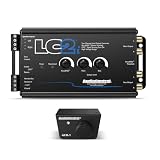
1. AudioControl LC1i Active 2-Channel Line Driver

- ...
- 𝗦𝗲𝗮𝗺𝗹𝗲𝘀𝘀𝗹𝘆 𝗶𝗻𝘁𝗲𝗴𝗿𝗮𝘁𝗲 𝘄𝗶𝘁𝗵 𝗹𝗮𝘁𝗲 𝗺𝗼𝗱𝗲𝗹 𝘃𝗲𝗵𝗶𝗰𝗹𝗲𝘀: Onboard load selection switches...
The AudioControl LC1i is a vastly different beast than the AVIO. While the AVIO is designed for Ethernet networks, the LC1i is built for car audio environments. It excels at taking a high-level speaker signal from a factory car head unit and converting it to a clean RCA line-level signal for an amplifier. If you are looking to upgrade your vehicle’s sound system, the LC1i is the better choice because it handles the specific impedance and voltage challenges of automotive audio. However, it cannot connect to a digital network or a DAW. Choose the LC1i for your car, but keep the AVIO for your studio or stage.
2. AudioControl LC2i 2-Channel Line Output Converter
- ...
- 𝗠𝗮𝘅𝗶𝗺𝗶𝘇𝗲 𝘆𝗼𝘂𝗿 𝗯𝗮𝘀𝘀: AccuBASS processing technology corrects and restores bass roll-off when the volume is increased on the factory radio.
The LC2i is the “big brother” to the LC1i and is famous for its AccuBASS technology. This is a life-saver for car audio enthusiasts whose factory radios roll off the bass as the volume increases. Like the LC1i, it is an analog-to-analog converter. It is significantly larger than the AVIO and requires a 12V power source (your car battery). While it offers incredible performance for subwoofers, it lacks any digital conversion or networking capabilities. If your goal is to bridge the gap between a car radio and an amp, this is the gold standard. For everything else involving a network, stay with Audinate.
3. Skar Audio 2-Channel Speaker Converter

- Compatible with OEM Radios, aftermarket radios, and smart radios
- Accepts Up to 55 Watts (16 volts) of Input Signal
The Skar Audio SKAR2CH-LOC is a budget-friendly alternative for simple car audio installations. It is a passive device, meaning it doesn’t require power, which makes it easy to install but also means it doesn’t offer the signal amplification or “cleanup” that the active AudioControl or Audinate units provide. It is a simple tool for a simple job. Comparing this to the Audinate Dante AVIO Analog Input Adapter is like comparing a bicycle to a jet engine; they both move you, but the AVIO operates on a completely different technological plane. Use the Skar for a quick, cheap car fix, but don’t expect it to perform in a professional audio network.
The Final Verdict: Is the Audinate Dante AVIO Analog Input Adapter Worth It?
After weeks of testing and integrating the Audinate Dante AVIO Analog Input Adapter into various workflows, our verdict is clear: this is an essential tool for the modern audio professional. Its strengths lie in its uncompromising build quality, its transparent conversion, and its native compatibility with the world’s leading AoIP protocol. While the requirement for PoE and the two-channel limit might be minor hurdles for some, the sheer convenience of turning any analog gear into a networked device far outweighs these small limitations. It effectively eliminates the need for expensive cable runs and simplifies complex routing in a way that feels almost like magic.
If you are serious about your audio network and need a reliable, high-performance bridge for your legacy gear, don’t hesitate to grab your own Audinate Dante AVIO adapter today. Whether you are in a house of worship, a touring rack, or a hybrid studio, this little device will likely become the hardest-working component in your signal chain. It’s time to stop fighting with cables and start enjoying the flexibility of Dante.
Last update on 2026-11-07 / Affiliate links / Images from Amazon Product Advertising API